Appearance
How to Create a Free AWS Account
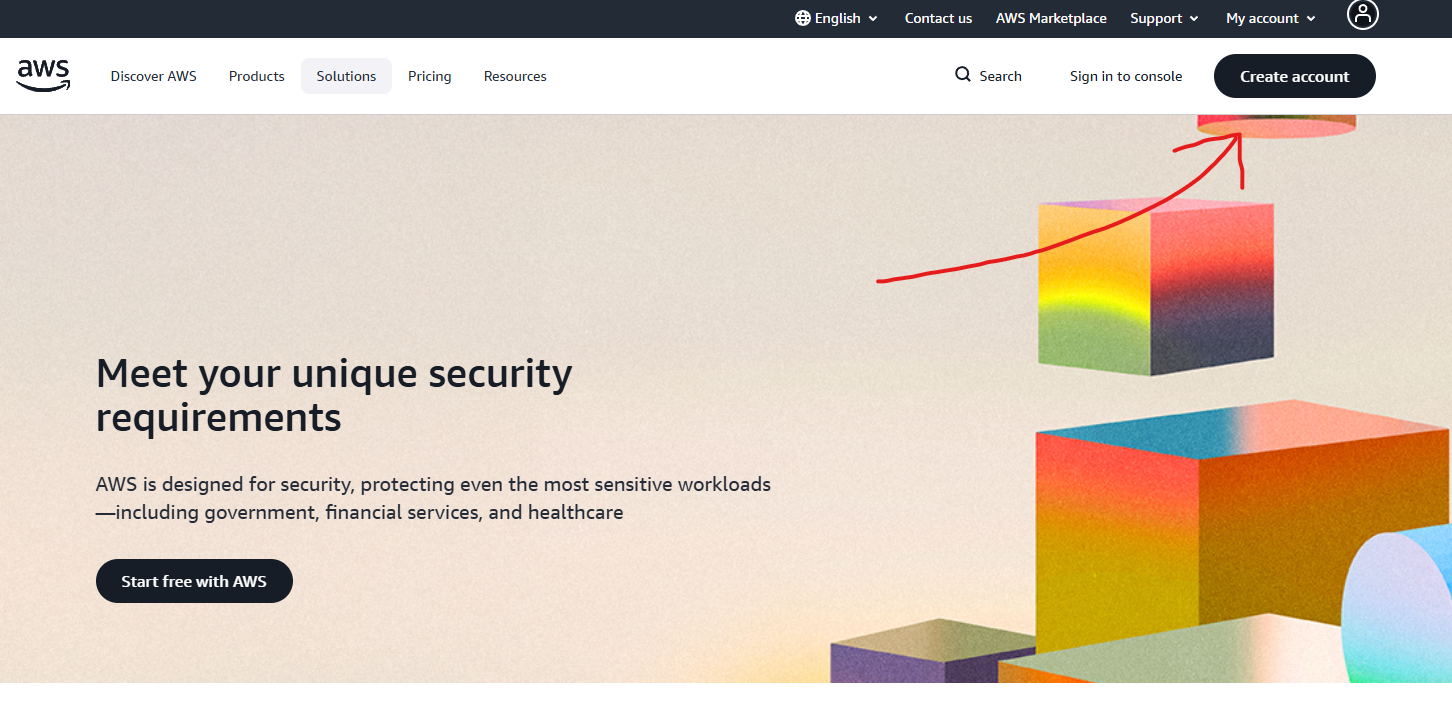
Go to https://aws.amazon.com/
Click on the Create account button.
Fill in the first box with your email and the second box with your chosen AWS account name.
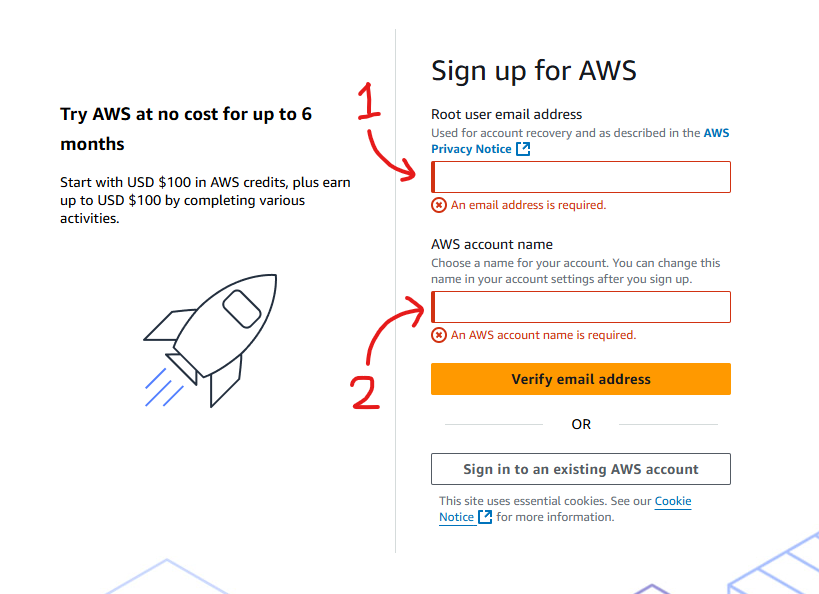
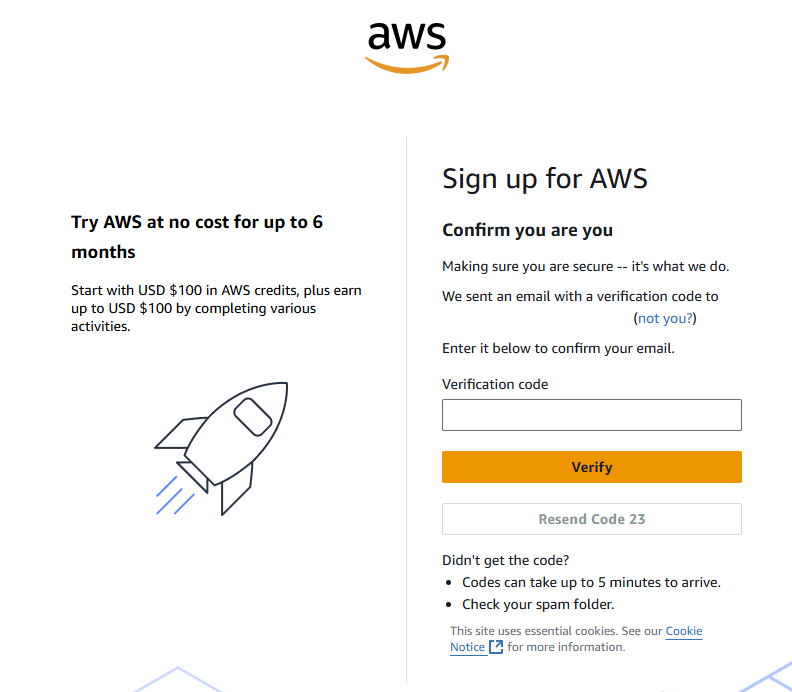
Verify email address.
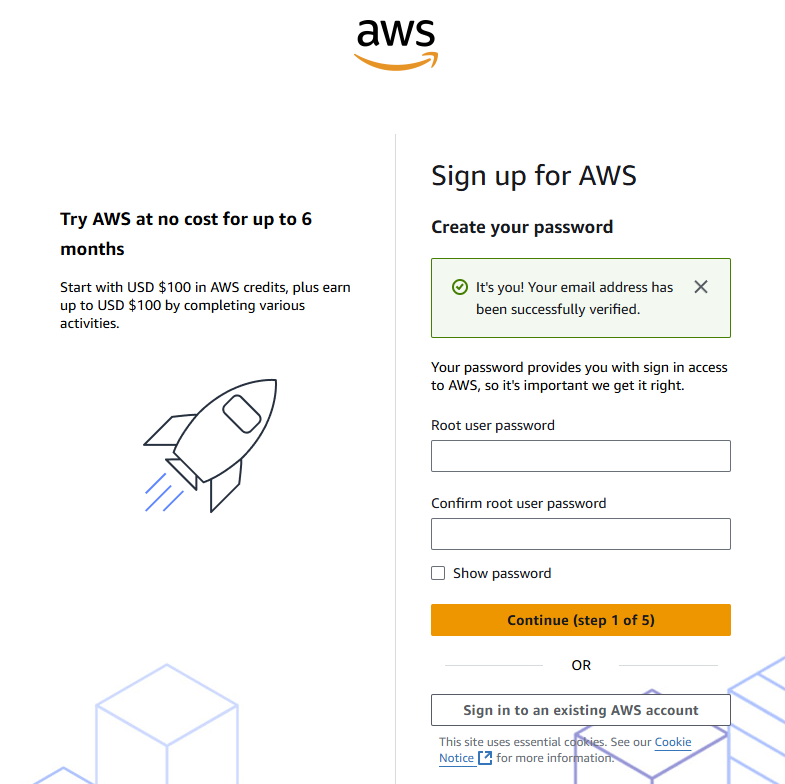
Create password then click Continue.
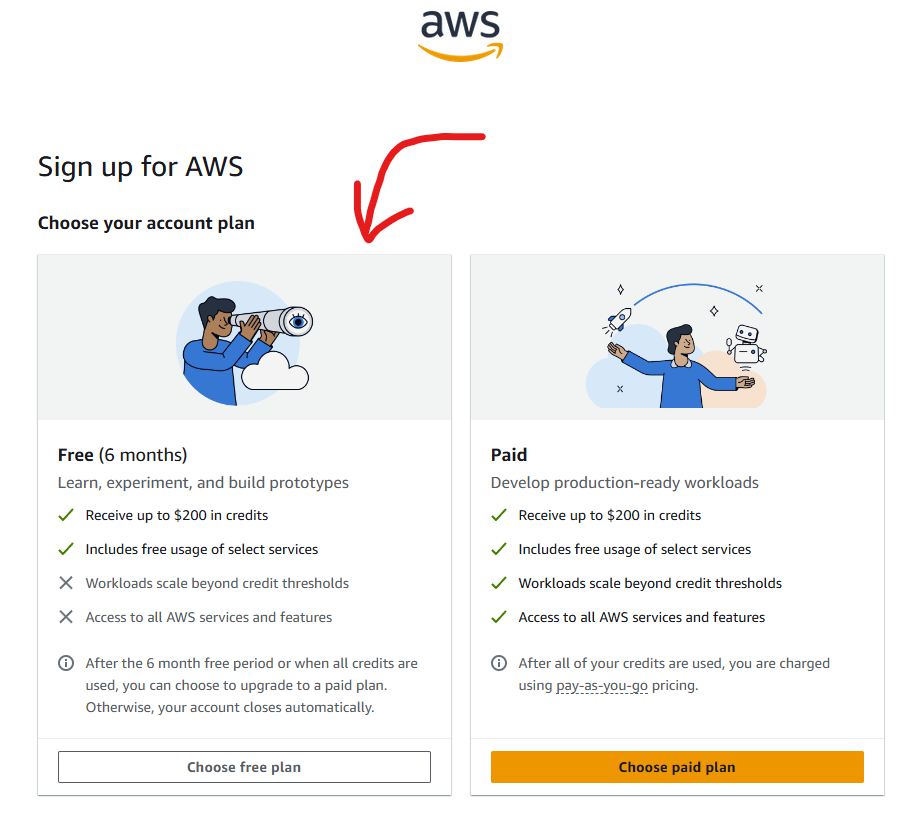
Click the "Choose free plan" button.
Fill out billing information as follows:
Field What to Enter Full name Enter full name Organization name (optional) Enter name of organization Country Code Enter code of country you are in Phone Number Enter your phone number Country or Region Choose your country or region Address line 1 Enter your address City Enter name of city you are in State, Province, or Region Choose State, Province, or Region which matches yours Postal Code Enter postal code for your address 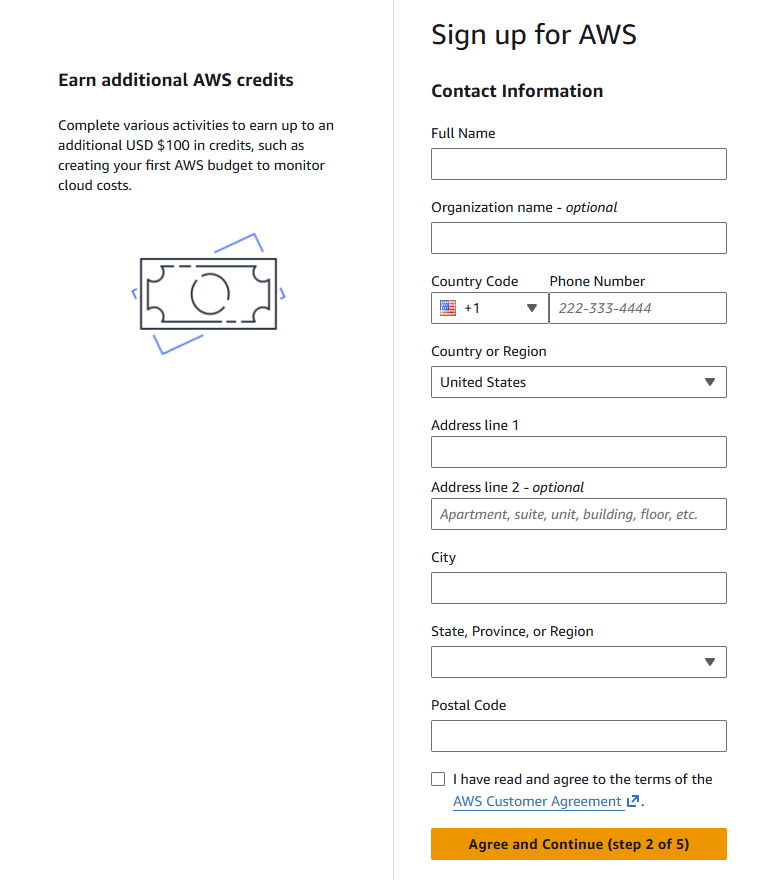
Tick the "I have read and agree to the terms of the AWS Customer Agreement" checkbox.
Press the "Agree and continue" button.
Fill in your billing information as follows:
Field What to Enter Credit or Debit card number Enter your card number here Expiration date Select the correct expiration date for your card Security code Enter your CVV or CVC Cardholder's name Enter the name that the card is attached to Billing address Set the billing address to match your card Click the "Continue" button.
Click the "Send SMS" button — make sure the country or region code is correct and that your mobile number is correct.
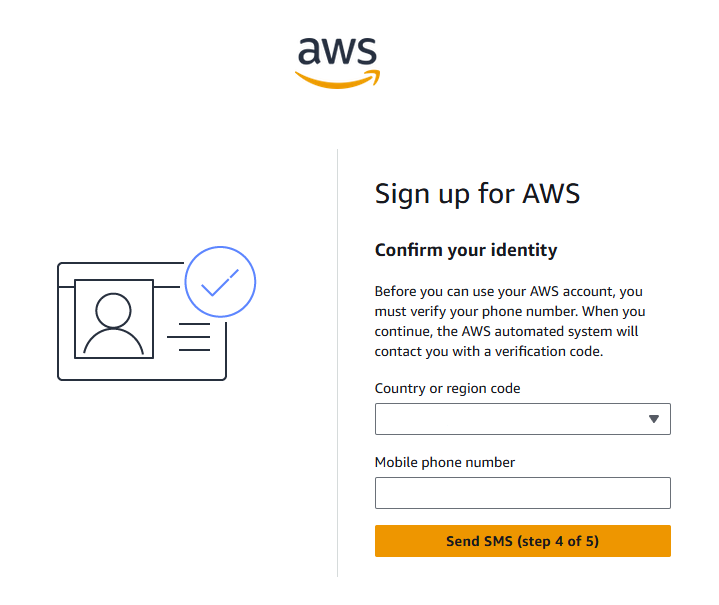
Enter the SMS code into the field and press Continue.
You should now be logged in and on the home page of your AWS account.
Tip: Save the login page URL so you can access it later.
Tip: Save your email address and password in a secure place.
Tip: Create a EC2 micro instance and run it for 30 mins, this wil by pass any account verification errors.